Colorwise One
Your colors. Your style. One membership.
Know what suits you. Love what you wear.
Everything included. Three apps. One membership.
Find your best colors, make more of your wardrobe, and shop with confidence.

Colorwise.me
Discover what flatters you
Every Colorwise tool, without limits
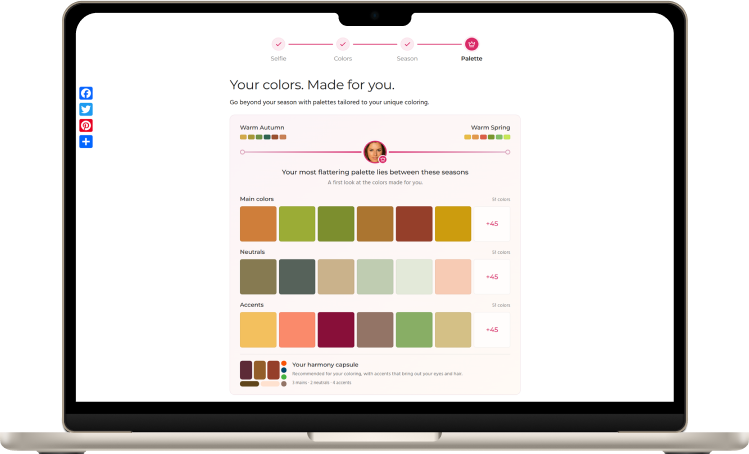
Find your between-season palettes
Go beyond a single season. AI color analysis reveals your personal blend, with palettes made for your skin, eyes and hair.
- See how your primary and secondary seasons come together in your coloring
- Get full main, neutral and accent palettes for your personal blend
- Bring those shades together in your personal capsule palette
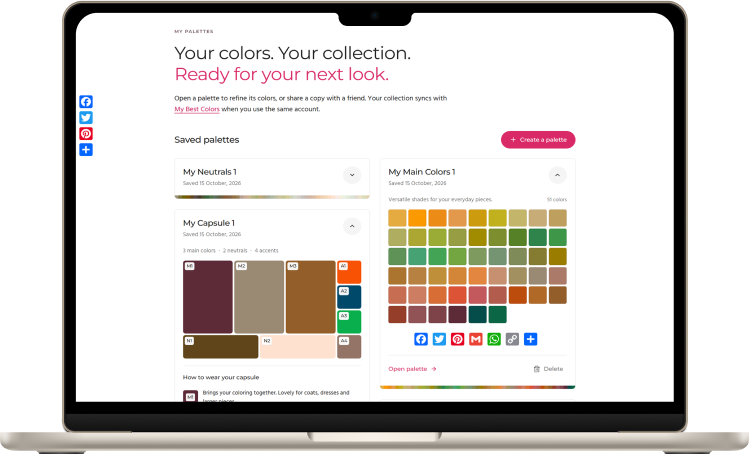
Explore thousands of capsule palettes
Open up more possibilities for the colors you wear. Explore capsule palettes by season and collect combinations for your next outfit or wardrobe refresh.
- Explore thousands of curated capsule palettes for the 12 seasons
- Plan outfits with coordinated main colors, neutrals and accents
- Collect your favorites in My Palettes for future outfit planning
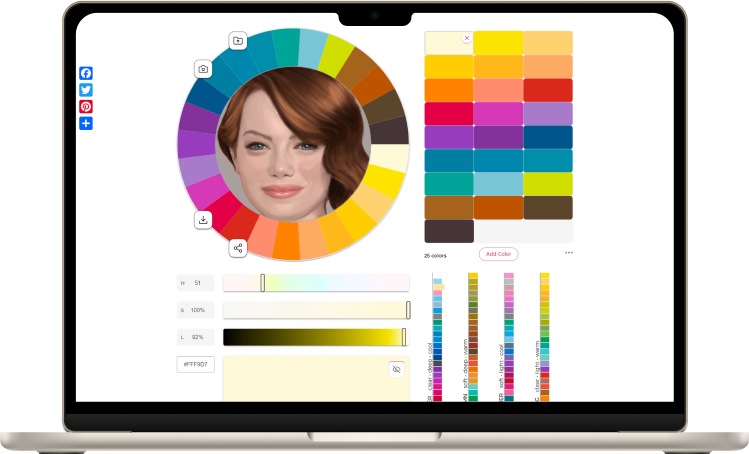
Virtual draping & Coloring Explorer
Get to know your undertone, depth and contrast, then try colors and palettes beside your face.
- Explore Undertone, Depth and Contrast with your own photo
- Try seasonal or custom palettes beside your face in Draping Studio
- Use Drape Effect to simulate reflected fabric color on your portrait
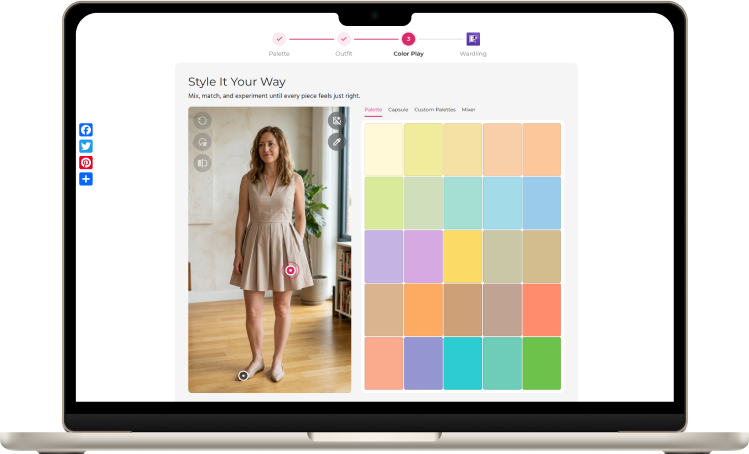
Create palettes, recolor looks & find outfits in your colors
Create a palette for a wedding, a work wardrobe or a new color mood. Turn inspiration photos and favorite shades into fresh outfit color combinations.
- Build custom palettes from scratch or import a list of colors
- Capture colors from inspiration photos with Picture to Palette
- Recolor individual pieces in an outfit photo with Outfit Color Studio
- Save and share your palettes, and take them shopping in My Best Colors

My Best Colors

Take your colors shopping
All app tools and palettes unlocked
Choose flattering clothes, makeup and jewelry
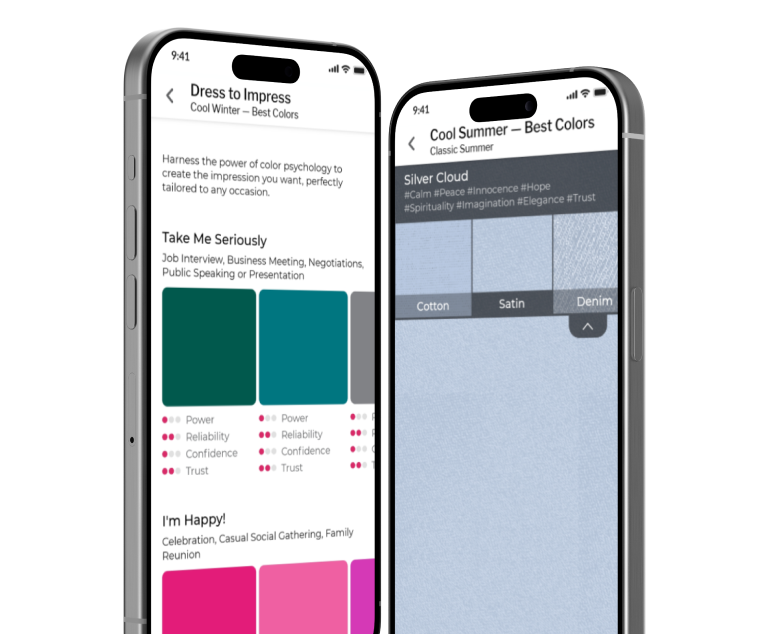
Keep a color guide for everyday outfits and special plans right on your phone. Choose shades for your coloring and the impression you want to make.
- Full main, neutral and accent palettes for your season
- Lipstick, eyeshadow and jewelry palettes to finish your look
- Dress to Impress and Impression palettes for different occasions and moods
- Preview shades on cotton, satin, denim and other fabric textures
Make runway trends work for you
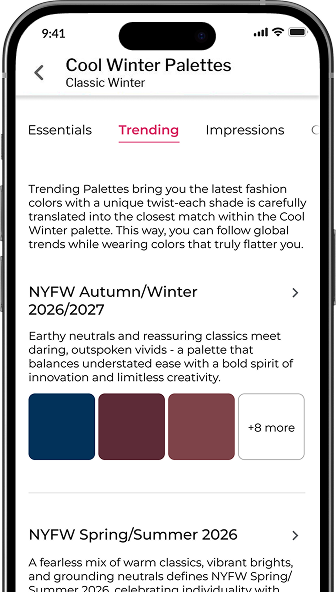
Give familiar outfits a fresh color direction. Explore runway palettes translated into shades for your season, with new collections to return to throughout the year.
- London and New York Fashion Week palettes adapted to your color type
- New trending palettes published periodically for fresh outfit inspiration
- Find marked boundary shades to try as bolder accents
Check shades before you buy
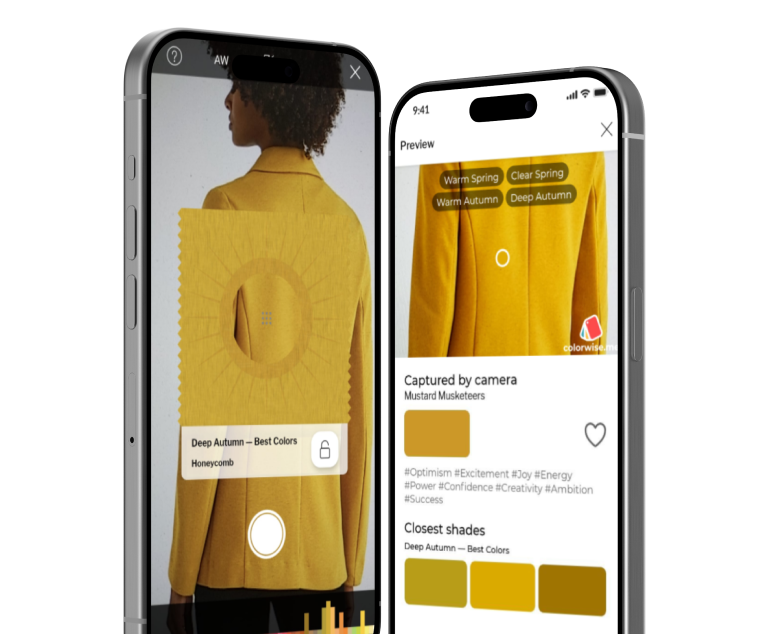
Bring your palette to the clothing rail, the beauty counter and your online shopping. Check the shade in front of you and keep the ones you want to revisit.
- Match shades from your camera or photos to seasonal or saved personal palettes
- Find a garment’s likely season with your camera
- Compare a real-world color with a palette shade in Overlay mode
- Save captured shades to Favorites for your next shopping trip
Put outfit colors together with confidence
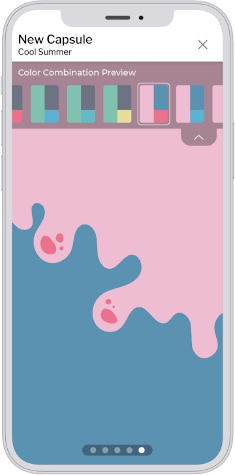
Plan colors for a trip, a workweek or a fresh take on your favorites. Build a capsule palette around the shades you want to wear next, then explore the combinations inside it.
- Build capsule palettes with main colors, neutrals and accents
- Preview three-color outfit combinations in different patterns
- Save capsule palettes to revisit when planning outfits

Wardling
NewMake every outfit your own
Priority Looks included each month
Outfit inspiration, tailored to you
Keep discovering looks for work, weekends and special plans, with recommendations shaped around your coloring and personal style.
- Personalized Lookbook recommendations for your body shape, colors and styling goals
- Browse by occasion and formality as your plans change
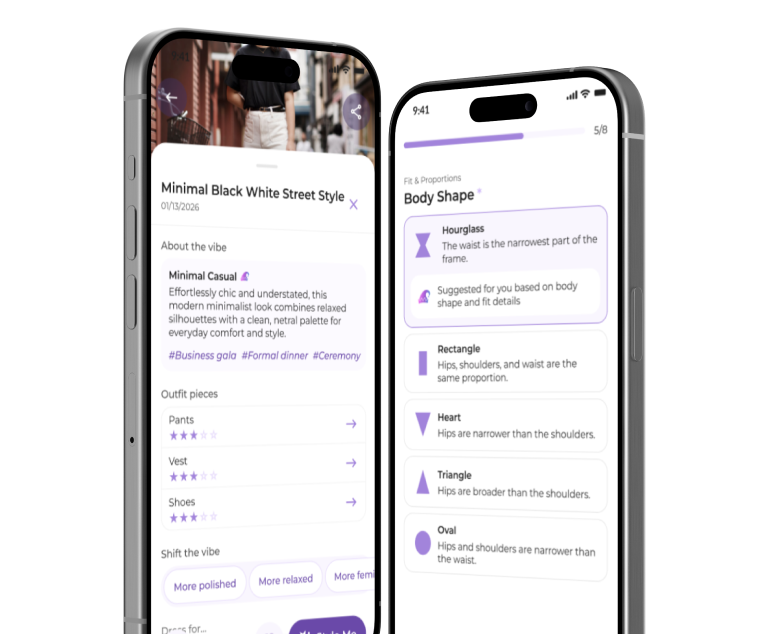
Restyle and tailor outfits you already own
Make familiar outfits work for new plans. Restyle a whole look or explore changes to one piece, so you can see more possibilities in the clothes you own.
- Get personal outfit feedback to decide what works and what you’d like to change
- Use Restyle to change an outfit’s occasion, formality or overall feel
- Use Tailor to adapt pieces to your styling goals, with changes such as a new neckline, color or trouser shape
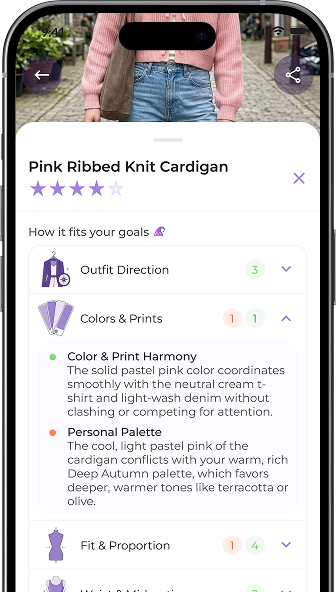
Virtual try-on with advice on every piece
Wondering whether a new silhouette or outfit is for you? See it on your own photo and get specific advice before you add it to your wardrobe.
- Try outfits on your own photo with Try-On+
- Explore different styles, silhouettes and levels of formality
- Get detailed, piece-by-piece feedback on fit, proportions and colors, based on your styling goals
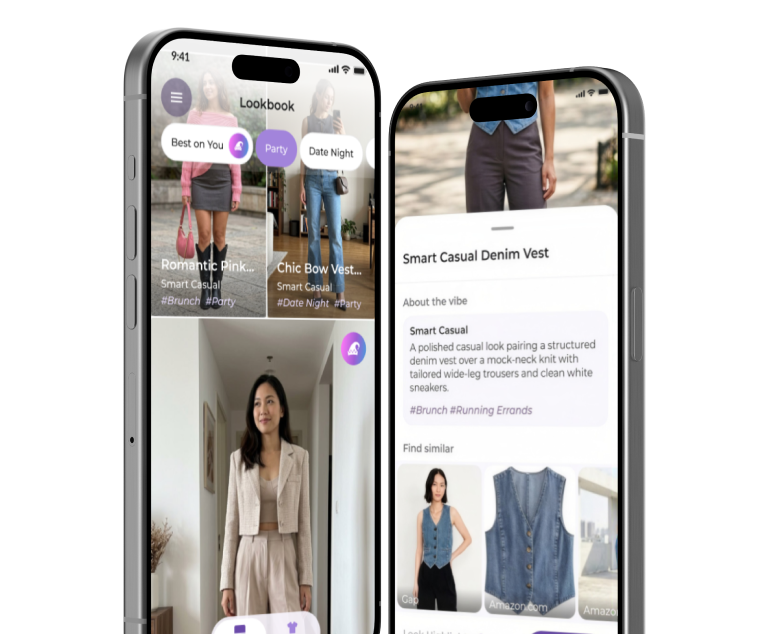
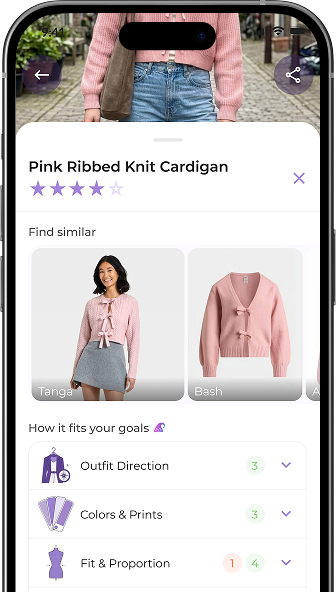
Shop any store with personal styling advice
Tap Share on your phone and choose Wardling, wherever you’re browsing. Get detailed styling advice on a look before you buy.
- Check a find against your body shape, coloring and styling goals
- Find similar pieces across stores and marketplaces, with options for your colors and budget
Questions about Colorwise One
What do I get with Colorwise One?
One membership unlocks your personal palettes and all premium features across Colorwise.me, My Best Colors, and Wardling, plus a monthly allowance of Wardling Priority Looks. Discover flattering colors, check shades while shopping, and get personalized outfit advice.
How are my personal palettes different from a seasonal palette?
Your free AI color analysis introduces the standard colors for your season. Colorwise One creates palettes tailored to your unique coloring, with main colors, versatile neutrals, accents, and a personal capsule palette that helps you combine them. You receive 51 main colors, 20+ neutrals, and 51 accent colors.
I already know my season. Is Colorwise One for me?
Yes. Knowing your season is the starting point; One helps you put it to work every day. Check clothing and makeup shades while shopping, explore color combinations, and get outfit advice tailored to you. These are practical tools used by professional stylists, ready to use whenever you need them.
Should I choose Monthly or Single Payment?
Choose Monthly for access that renews one month at a time until you cancel. Choose Single Payment for a full year at our best value, paid once with no automatic renewal. Both plans include the same benefits.
If you only want My Best Colors, a separate single payment in the App Store or Google Play unlocks that app’s premium features for life.
Can I cancel anytime?
Yes. If you choose Monthly, open your Colorwise One membership page and select Manage billing to turn off renewal. You keep your benefits until the end of your paid month. Single Payment gives you 12 months of access and does not renew automatically, so there’s nothing to cancel.
How do I get started after payment?
We’ll guide you through any account setup and take you to your membership page. Everything you need is there: your palettes, app downloads, and the Wardling connection. Your purchase email includes a Get started link so you can return whenever you’re ready.
How do I activate One in My Best Colors and Wardling?
Use the latest versions of My Best Colors and Wardling from the App Store or Google Play. In My Best Colors, sign in with the Colorwise account you use for One. For Wardling, open your Connect Wardling page and connect the Google or Apple account you use in the app.
What if I already have a Wardling subscription?
You can keep your Wardling subscription alongside Colorwise One. Its credit allowance adds to the Priority Looks you receive from One.
It does not cancel automatically when you join One. To turn off its renewal, use your Apple or Google account.
I’ve already paid for My Best Colors. Is there an offer for existing users?
Yes! We’d love to welcome you to Colorwise One. Email support@colorwise.me after you join One, and we’ll add extra Wardling Priority Looks to cover your My Best Colors payment.
Your lifetime My Best Colors Premium access remains valid, whether or not you have a Colorwise One membership.
How many Wardling Priority Looks do I get, and what if I run out?
Priority Looks included each month. Each Priority Look is one credit for detailed outfit feedback, tailoring, restyling, or Try-On+ virtual try-on, personalized to your styling goals, color season, and body shape. Requests using these credits receive priority processing.
If you run out of Priority Looks, you can still get outfit feedback and create images in Wardling’s regular queue while your One membership is active. Requests may take longer until your next refill.
When do my Priority Looks refill?
Your full monthly allowance becomes available after payment, once you activate your membership and connect Wardling. It refills in full on each monthly membership anniversary while your paid access continues. Single Payment includes these monthly refills throughout your 12 months of access.
Do unused Priority Looks carry over?
Yes. Unused One credits carry over up to two monthly allowances. Free credits are separate and do not count toward this cap. Credits from a separate Wardling subscription carry over in their own balance.
Does Single Payment give me lifetime access?
Single Payment gives you 12 months of full Colorwise One access, including monthly Wardling Priority Looks.
It is not a lifetime purchase and does not renew automatically. After your access ends, you can buy Single Payment again or choose Monthly from this page.
Can I get premium access to My Best Colors or Wardling separately?
Yes. My Best Colors and Wardling offer their own purchases through the App Store and Google Play. With One, you do not need to purchase anything separately in the apps.
Where can I manage billing and view invoices?
Sign in to your Colorwise One membership page and select Manage billing. Both plans give you access to your payments and invoices. Monthly members can also update their payment method or cancel renewal. Manage separate app-store purchases in your Apple or Google account.
What happens when my One access ends?
When your One access ends, its premium features and new Wardling credit refills stop. Your saved palettes, Wardling account, and saved looks are not deleted, and any Wardling Priority Looks already added to your account remain available. Access from separate app purchases or subscriptions continues under their own terms.
How do I get support?
Email support@colorwise.me for help with your Colorwise One membership, My Best Colors, or Wardling. Include your account email and a brief description of what you need help with.